Apache Spark and n8n Integration Guide
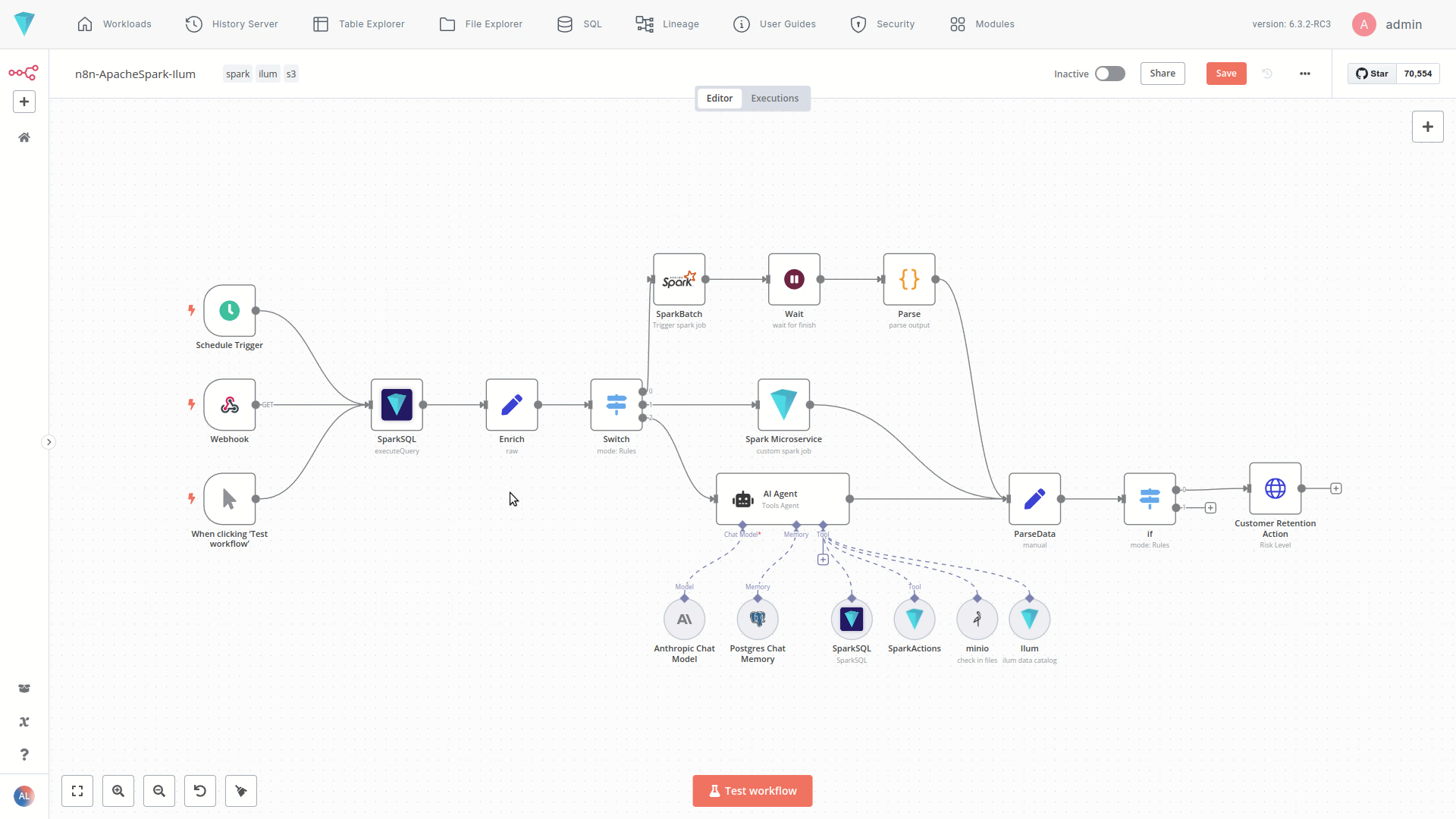
The n8n module in Ilum brings powerful, low-code workflow automation to your data lakehouse environment. Design visual ETL pipelines, orchestrate complex Apache Spark jobs, and integrate data processes with third-party business apps—all through a clean drag-and-drop editor fully embedded in the Ilum platform.
🚀 What is n8n?
n8n is a leading workflow automation tool that lets you connect APIs, databases, and services with a simple visual interface. Ilum integrates n8n as a native module, transforming it into a robust Data Orchestration tool. With Ilum, it treats Apache Spark as a first-class citizen, allowing you to trigger heavy-lifting data tasks alongside operational logic.
With n8n's visual workflow editor, you can easily design, test, and deploy automation sequences involving data ingestion, transformation, analysis, and action triggering, accelerating development and reducing manual effort.
Key Benefits
- Visual Workflow Building: Design complex automation using a drag-and-drop interface.
- Extensive Connectivity: Connect Ilum services with hundreds of external applications and APIs.
- Low-Code/No-Code: Build powerful workflows with minimal coding required, democratizing automation.
- Deep Ilum Integration: Leverage specific Ilum components directly within your workflows using custom nodes (Enterprise Edition).
- Flexible Triggering: Start workflows based on schedules (cron), webhooks, manual triggers, or events from cloud storage (S3/GCS).
How to install
Just one additional parameter during installation/upgrade --set ilum-n8n.enabled=true
helm install ilum ilum/ilum --set ilum-n8n.enabled=true
If you have trouble accessing n8n from a remote host via HTTP (not HTTPS), you may need to disable secure cookies by adding the following configuration to your Helm values:
n8n:
  main:
    extraEnvVars:
      N8N_SECURE_COOKIE: "false"
 A warning message about this issue
This allows n8n to work over HTTP connections. Use this setting only in trusted, non-production, or development environments.
Ilum Custom Nodes (Enterprise Edition)
The Enterprise Edition of Ilum includes several custom n8n nodes designed for deep integration with the data lakehouse platform's capabilities. These nodes provide direct access to Ilum's core functionalities:
1. SparkSQL
- Description: Executes ad-hoc Apache Spark SQL queries directly against your data within the Ilum Data Lakehouse. Retrieve, filter, aggregate, and transform data using the power of Spark SQL without leaving your workflow.
- Usage: Ideal for data extraction, quick analysis, and preparing data for subsequent steps in the workflow.
- Best For: Ad-hoc analysis, data quality checks, and passing small datasets to other apps.
- AI Agent Tool: Can also be configured as a tool for the AI Agent node, allowing AI models to query data dynamically based on natural language instructions or reasoning.
2. Spark Microservice
- Description: Invokes custom Apache Spark microservices deployed within the Ilum service layer. These microservices encapsulate your standard Spark or PySpark code (e.g., complex transformations, ML model inference, custom data processing logic) and expose them via a REST API. It's very similar to spark connect.
- Usage: Allows you to trigger existing, complex Spark logic on demand and receive results directly back into your n8n workflow via an API call. Perfect for custom Spark applications within automated pipelines.
- Best For: Real-time inference, event-driven processing, and reusable data transformations.
3. SparkActions (AI Agent Tool)
- Description: This node serves as a tool for the AI Agent. It empowers the AI Agent to dynamically generate and execute custom Apache Spark code snippets based on the context or instructions it receives.
- Usage: Enables advanced scenarios where an AI agent needs to perform bespoke data manipulations or computations on the fly within the Spark environment.
- Best For: Generative AI use cases, dynamic code generation, and complex, unstructured data tasks.
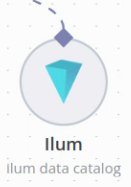
4. Ilum (AI Agent Tool)
- Description: Functions as a versatile tool for the AI Agent, providing access to a wide range of Ilum platform information and functionalities via its internal REST API.
- Usage: Allows the AI Agent to:
- Query the Ilum Data Catalog (e.g., find datasets, view schemas).
- Retrieve table statistics and data quality metrics.
- Access other platform metadata and operational information.
- Essentially, interact with much of the information visible within the Ilum UI or available via its API.
- Best For: Metadata management, catalog exploration, and platform monitoring via AI.
5. SparkBatch
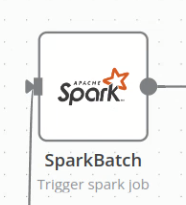
- Description: Triggers standard Apache Spark batch jobs that are configured within the Ilum platform.
- Usage: Use this node to initiate pre-defined, potentially long-running Spark batch processes as part of your automated workflow (e.g., large-scale ETL, model training).
- Best For: Heavy ETL, nightly reporting jobs, and long-running model training.
📦 Licensing & Usage
⚠️ Users must follow n8n’s license model.
Customers with an active Ilum Enterprise license may also receive an n8n Enterprise license as part of their subscription, unlocking features like advanced access control, unlimited executions, and premium support.
Learn more about n8n licensing here: n8n.io/pricing
🧪 Try It Out
Go to the Modules > n8n section in Ilum to:
- Start a new workflow
- Use the Ilum nodes to connect to Spark, MinIO, SQL, and more
- Trigger pipelines based on time, events, or conditions
- Build and iterate in a fully visual environment
Real-World Use Cases
Ilum’s n8n integration bridges the gap between data engineering and business operations. Here are common ways to leverage this integration:
1. Automated ETL Pipelines
Replace rigid scripts with visual flows.
- Trigger: Scheduled daily at 2:00 AM.
- Action: n8n pulls raw data from CRM APIs (Salesforce, HubSpot) and loads it into object storage.
- Process: The SparkBatch node triggers a heavy Spark job to clean, merge, and transform this data into your Lakehouse format (Delta/Iceberg/Hudi).
- Result: Analytics-ready data is available by start of business.
2. Event-Driven Data Processing
React to data instantly instead of waiting for batches.
- Trigger: A file is uploaded to an S3 bucket (webhook event).
- Process: n8n receives the event and passes the file path to a Spark Microservice node.
- Action: The microservice runs a specific PySpark inference script to classify the document content.
- Result: The classification is tagged in the database, and a Slack notification is sent to the relevant team.
3. AI-Powered Data Analysis
Empower non-technical users to query data.
- Trigger: A user asks a question in a chat interface (e.g., Slack/Teams).
- Process: The Ilum AI Agent (using the SparkSQL tool) parses the natural language query into SQL.
- Action: The query runs against the Data Lakehouse, returning aggregated metrics.
- Result: The user receives a summarized answer and a chart image directly in the chat.
n8n as a Data Orchestrator
While tools like Apache Airflow are built for pure code-based orchestration, n8n offers a compelling alternative for hybrid workflows:
| Feature | Code-Based (e.g., Airflow) | Visual (n8n on Ilum) |
|---|---|---|
| Interface | Python Code | Visual Drag-and-Drop |
| Connectivity | Data-focused | 350+ Apps (CRM, Social, Email, Data) |
| Spark Support | Via Operators | Native Ilum Spark Nodes |
| Best For | Heavy, complex dependency DAGs | Agile ETL, Operational Data Apps, AI Agents |
Using n8n allows data engineers to build the core processing logic in Spark, while allowing operations teams to manage the triggers, alerts, and downstream actions visually.
💬 Need Help?
For advanced workflows or custom use cases, contact the Ilum team. We’re happy to help you design, optimize, and scale your data automation pipelines.