How a Spark job runs on Kubernetes with Ilum
You send one HTTP request, and ilum-core runs spark-submit and follows the driver and executor pods to the end. There is no operator and no custom resource.
One request.
Three pods.
bank_insights: a driver and 2 executors, FINISHED after 38 s
Where 38 seconds go.
One run of bank_insights, the card spend of one state over 30 days, from the request to FINISHED. Move along the timeline, or through the list under it, to see what the cluster was doing at each moment and the line the driver logged.
ilum-corespark-submit
driver podPending, then Running
2 executor podsrequested, then registered
the query3 Spark actions
0.82 sof Spark work in 38 s. The rest is pods starting and stopping.
A service keeps the pods, so the next request pays only for the work. How interactive sessions stay warm
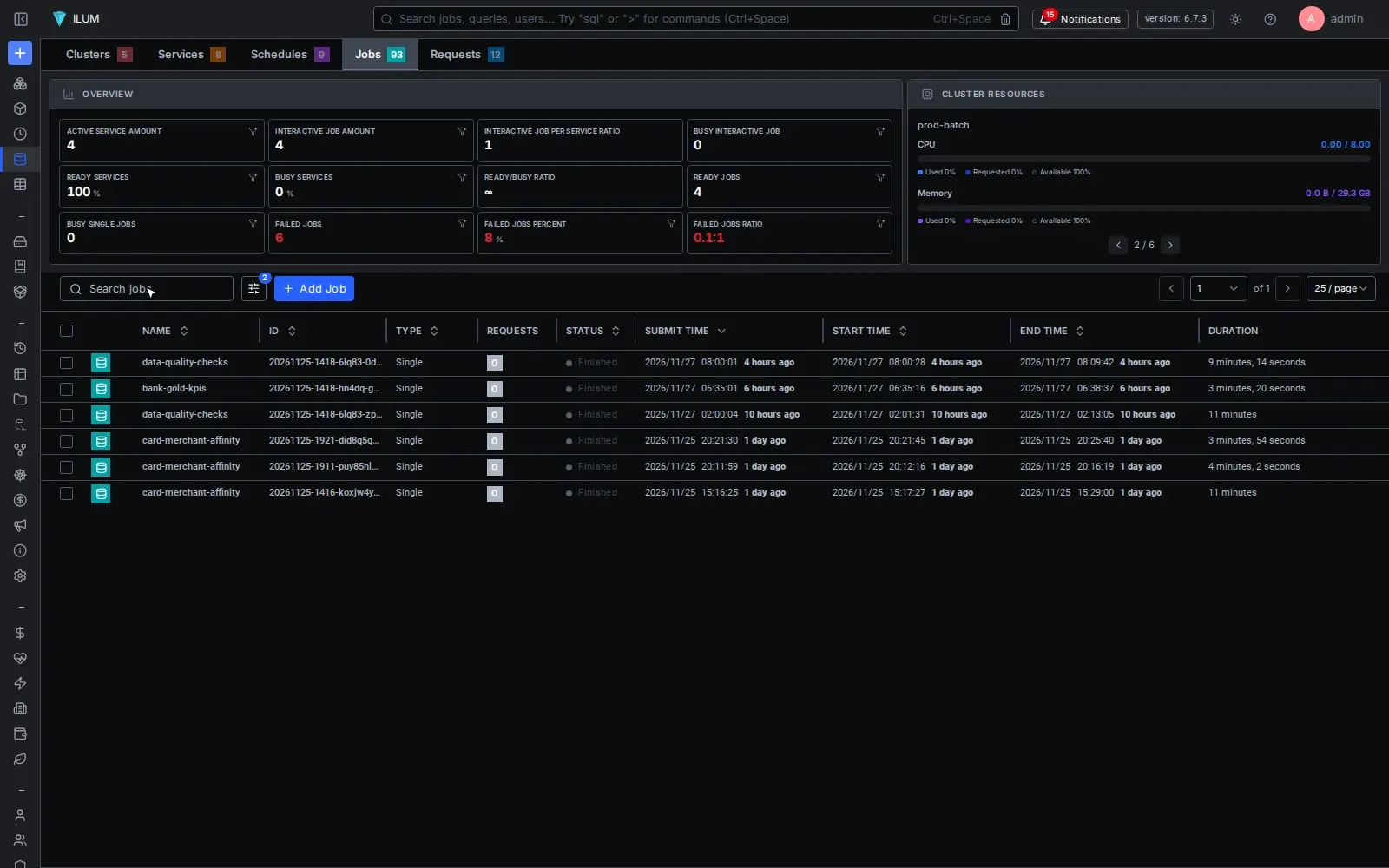
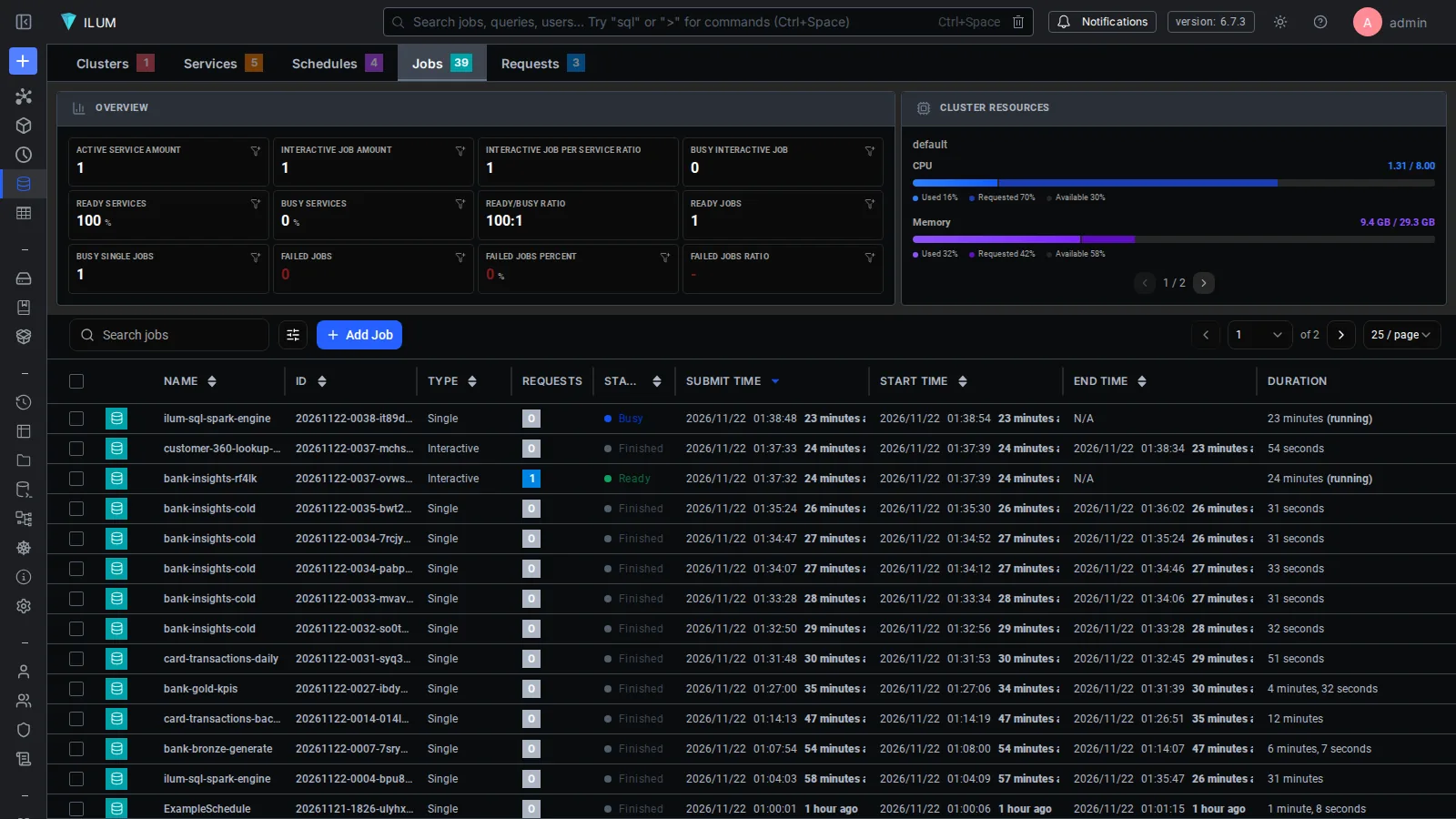
The same run in the console
The Jobs page of the console: a job, its timeline, its executors and its logs.
Step by step
Step 1 of 7. your terminal → ilum-core
Reach the API
ilum-core serves REST on port 9888. From a laptop, a port-forward is enough. In production it sits behind your ingress.
Inside the cluster nothing needs forwarding: other pods reach the same API at http://ilum-core:9888.
kubectl port-forward svc/ilum-core 9888:9888Spark pods after this step
none
- your terminal ilum-core · HTTP · localhost:9888
Step 2 of 7. your terminal → ilum-core
Submit the job
One multipart request carries the jar and the Spark configuration. ilum-core stores the job, answers with its id, and the job is SUBMITTED.
Before anything starts, ilum-core puts the uploaded jar into object storage under the id of the job, so the driver can fetch it like any other dependency. The answer comes back at once. It does not wait for the job.
curl -X POST "http://localhost:9888/api/v1/job/submit" \
-F "name=MiniReadWriteTest" \
-F "clusterName=default" \
-F "language=SCALA" \
-F "jobClass=org.apache.spark.examples.MiniReadWriteTest" \
-F "jobConfig=spark.executor.instances=2" \
-F "args=/opt/spark/examples/src/main/resources/kv1.txt" \
-F "jars=@spark-examples_2.13-4.1.2.jar"{
"jobId": "20251222-0931-f56pqk5y1ap"
}Spark pods after this step
none
- your terminal ilum-core · HTTP · POST /api/v1/job/submit
- Where the jar goes
- s3a://ilum-files/ilum/<jobId>/jar/<file name>. The same holds for Python files, under py.
- Executors
- Two by default, with one core and 1g each. spark.executor.instances in jobConfig overrides the number, as in this request.
- Your settings win
- jobConfig is merged last, on top of the defaults of the cluster.
- If the launch fails
- The call still answers with a job id. The job is stored as FAILED and its error field carries the message.
Step 3 of 7. ilum-core → Kubernetes API
ilum-core launches the driver
ilum-core runs spark-submit in cluster mode against the Kubernetes API. The driver becomes a pod of its own, named after the job, and the job is STARTING.
ilum-core does not build the pod itself. It calls Spark’s own launcher, which runs spark-submit as a child process inside the ilum-core pod, in cluster deploy mode with the in-cluster API server as the master. spark-submit creates the driver pod and returns without waiting for it. From here on this is plain Spark on Kubernetes.
The driver’s main class is a small wrapper from Ilum. It loads your class, runs it, and reports the state of the job back to ilum-core. The pod is called job-<jobId>-<hash>-driver.
kubectl get pods -wSpark pods after this step
job-<jobId>-<hash>-driverPending
- ilum-core Kubernetes API · create the driver pod
- Launcher
- org.apache.spark.launcher.SparkLauncher, deploy mode cluster, master k8s://https://kubernetes.default.svc.
- Namespace
- The namespace of the Helm release, unless the cluster is configured with another one.
- Permissions
- The driver runs under the chart’s Spark service account. Its ClusterRole, spark-submit-cluster-role-<namespace>, may create and delete pods, configmaps, services, persistentvolumeclaims. rbac.restricted.enabled narrows it.
- Find the pods
- Every pod of the job carries the label ilum.jobId, so kubectl get pods -l ilum.jobId=<jobId> lists exactly this job.
- Image
- ilum/spark:4.1.2-delta unless the job or the cluster names another.
- State
- STARTING is set when the pod watcher sees the driver pod appear.
Step 4 of 7. driver → Kubernetes API
The driver asks for executors
The driver is up and requests the 2 executors the job configuration names. Kubernetes schedules them like any other pod.
This step is entirely Spark’s. The driver asks the Kubernetes API for executor pods under its own service account. ilum-core takes no part in it.
Spark pods after this step
job-<jobId>-<hash>-driverRunningjob-<jobId>-<hash>-exec-1Pendingjob-<jobId>-<hash>-exec-2Pending
- driver Kubernetes API · request executor pods
- Dynamic allocation
- Off by default, so the number of executors is fixed for the run. Switched on, it is capped at 20.
Step 5 of 7. exec-2 → ilum-minio · driver → ilum-hive-metastore · …
The job runs, and reports back
Executors read and write object storage directly. The metastore only tells them where the tables are. The driver reports its state to ilum-core over gRPC on port 9999, and a pod watcher follows the driver pod. The job is BUSY.
The direction of the gRPC connection matters for network policy: the driver dials ilum-core, never the other way round. It reports its state with plain calls and keeps one stream open, down which ilum-core pushes commands such as a stop.
The storage settings were added by ilum-core at submit time. The job gets the endpoint and credentials of the bucket, the address of the metastore, the event log directory and the lineage listener without naming any of them.
Spark pods after this step
job-<jobId>-<hash>-driverRunningjob-<jobId>-<hash>-exec-1Runningjob-<jobId>-<hash>-exec-2Running
- exec-2 ilum-minio · S3 · s3a:// read and write
- driver ilum-hive-metastore · Thrift · table metadata
- driver ilum-core · gRPC · job events
- Where the driver calls
- ilum-grpc.<namespace>.svc.cluster.local, the gRPC service of ilum-core.
- State
- BUSY is reported by the wrapper in the driver just before it runs your class.
- Kafka instead
- communication.type selects grpc (the default) or kafka. With gRPC, ilum-core cannot run as several replicas. For high availability use Kafka.
- Stop the job
- POST /api/v1/job/{jobId}/stop. It is a message to the driver, which stops its own SparkSession. The job ends as CANCELED.
- Read the logs
- GET /api/v1/job/{jobId}/logs returns the logs of every pod of the job.
Step 6 of 7. driver → ilum-minio · driver → ilum-marquez · …
Logs and lineage leave a trail
The event log lands in the bucket, where the history server reads it. The OpenLineage listener, switched on by default, reports inputs and outputs to Marquez.
Spark pods after this step
job-<jobId>-<hash>-driverRunningjob-<jobId>-<hash>-exec-1Runningjob-<jobId>-<hash>-exec-2Running
- driver ilum-minio · S3 · s3a://ilum-files/ilum/logs
- driver ilum-marquez · HTTP · POST /api/v1/lineage
- ilum-history-server ilum-minio · S3 · read event logs
- Event log
- spark.eventLog.enabled is set to true and the directory to s3a://ilum-files/ilum/logs. The history server cleans logs older than 7 days.
- Lineage listener
- io.openlineage.spark.agent.OpenLineageSparkListener is added to spark.extraListeners. Listeners of your own are kept: the lists are merged.
Step 7 of 7. your terminal → ilum-core
Finished
The executors are gone and the driver pod is Completed. The job is FINISHED. Its state and logs stay in the console and behind the API until the job expires.
The driver pod is not deleted at once. It stays as Completed, and that is where the logs of a finished job are read from. An hourly sweep removes jobs older than 168 hours together with their pods and uploaded files. With tracing on, a run also keeps its spans and a Cost tab, the subject of Spark job tracing and cost per run.
curl "http://localhost:9888/api/v1/job/{jobId}"{
"jobId": "20251222-0931-f56pqk5y1ap",
"jobName": "MiniReadWriteTest",
"jobType": "SINGLE",
"language": "SCALA",
"state": "FINISHED"
}Spark pods after this step
job-<jobId>-<hash>-driverCompletedjob-<jobId>-<hash>-exec-1removedjob-<jobId>-<hash>-exec-2removed
- your terminal ilum-core · HTTP · GET /api/v1/job/{jobId}
- Retention
- job.retain.hours, 168 by default.
- With log aggregation
- When Loki is enabled, pods are deleted as soon as the job ends and its logs are served from Loki instead.
- Retries
- maxRetries is 0 by default. A retry is a new job with a new id.
Watch it run
MiniReadWriteTest, one of the examples that ship with Spark, sent with the same requests to a two-node cluster with 8 vCPU. From submit to FINISHED it took 36 s.
$ curl -X POST "http://localhost:9888/api/v1/job/submit" -F "name=MiniReadWriteTest" …
The whole exchange in one diagram
The same 7 steps as a sequence diagram: who talks to whom, in order. The bars on the lifelines of the Spark pods show how long each pod exists. A row number takes you back to its step.
The states of a job, and who sets them
A batch job moves through four states on its way to a normal end. Each is set by a different part of the system, which is what makes a stuck job easy to place.
- SUBMITTED
- Written by ilum-core as soon as it has handed the job to spark-submit.
- STARTING
- Set when the pod watcher sees the driver pod appear on the cluster.
- BUSY
- Reported over gRPC by Ilum’s wrapper in the driver, just before your class runs.
- FINISHED or FAILED
- Reported by the wrapper when your class returns or throws. A driver container that exits with a non-zero code is marked FAILED by the pod watcher as well.
- CANCELED
- Reported by the driver after a stop request.
What ilum-core adds to your Spark configuration
A plain spark-submit on Kubernetes needs all of this spelled out. Here it comes from the cluster you submit to, and anything you set yourself still wins.
- Object storage
- Endpoint, path-style access and credentials for the bucket, as spark.hadoop.fs.s3a settings.
- Metastore
- spark.hadoop.hive.metastore.uris and the Hive catalog implementation, when a metastore is attached to the cluster.
- History
- Event logging, pointed at the bucket the history server reads.
- Lineage
- The OpenLineage listener, its transport URL and the agent jar.
- Metrics
- The Prometheus endpoint of the Spark UI and the Prometheus servlet sink.
The same job, without curl
The REST call is one of several doors to the same mechanism.
- The console
- Workloads, then Jobs: a new job is a form instead of a request.
- Stock spark-submit
- Point --master at ilum-core instead of the API server. It works because ilum-core answers the part of the Kubernetes API that spark-submit calls.
- Livy clients
- ilum-core serves the Livy batches API itself, which is how Airflow’s LivyOperator submits.
spark-submit \
--master k8s://http://localhost:9888 \
--deploy-mode cluster \
--class org.apache.spark.examples.SparkPi \
--conf spark.driver.memory=4g \
--conf spark.ilum.cluster=default \
--conf spark.kubernetes.container.image=ilum/spark:4.1.2 \
--conf spark.kubernetes.submission.waitAppCompletion=true \
s3a://ilum-files/ilum/default/spark-examples_2.13-4.1.2.jarRun it on your own cluster
Every step runs on any Kubernetes cluster after two commands, on the free Community license.
Install Ilum CommunityRun Spark jobs via the REST API ↗Architecture ↗
helm repo add ilum https://charts.ilum.cloudhelm install ilum ilum/ilum